Outbound Dialer for Home Services: Fill More Appointments
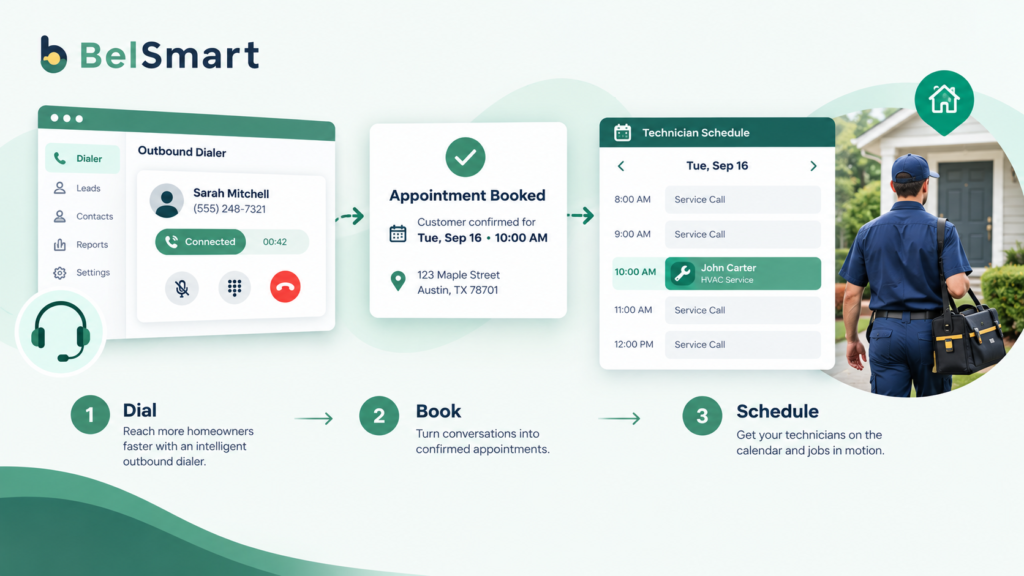
An outbound dialer for home services is call center software that automates and speeds up outbound calling for HVAC, plumbing, roofing, and pest control companies, so a small team of callers can fill technician schedules without spending hours manually dialing numbers. For a business where revenue depends on a technician’s calendar being full every day, this is less a sales tool and more a scheduling engine.
Home services companies live and die by one number: the appointment book. A technician sitting idle costs money the moment they clock in, whether the job is a scheduled AC tune-up, a plumbing inspection, or a storm-damage roof estimate. That makes outbound calling in this industry fundamentally different from B2B sales dialing, where the goal is a pipeline of deals closing over weeks. In home services, the goal is a booked slot for tomorrow.
What Is an Outbound Dialer for Home Services Companies?
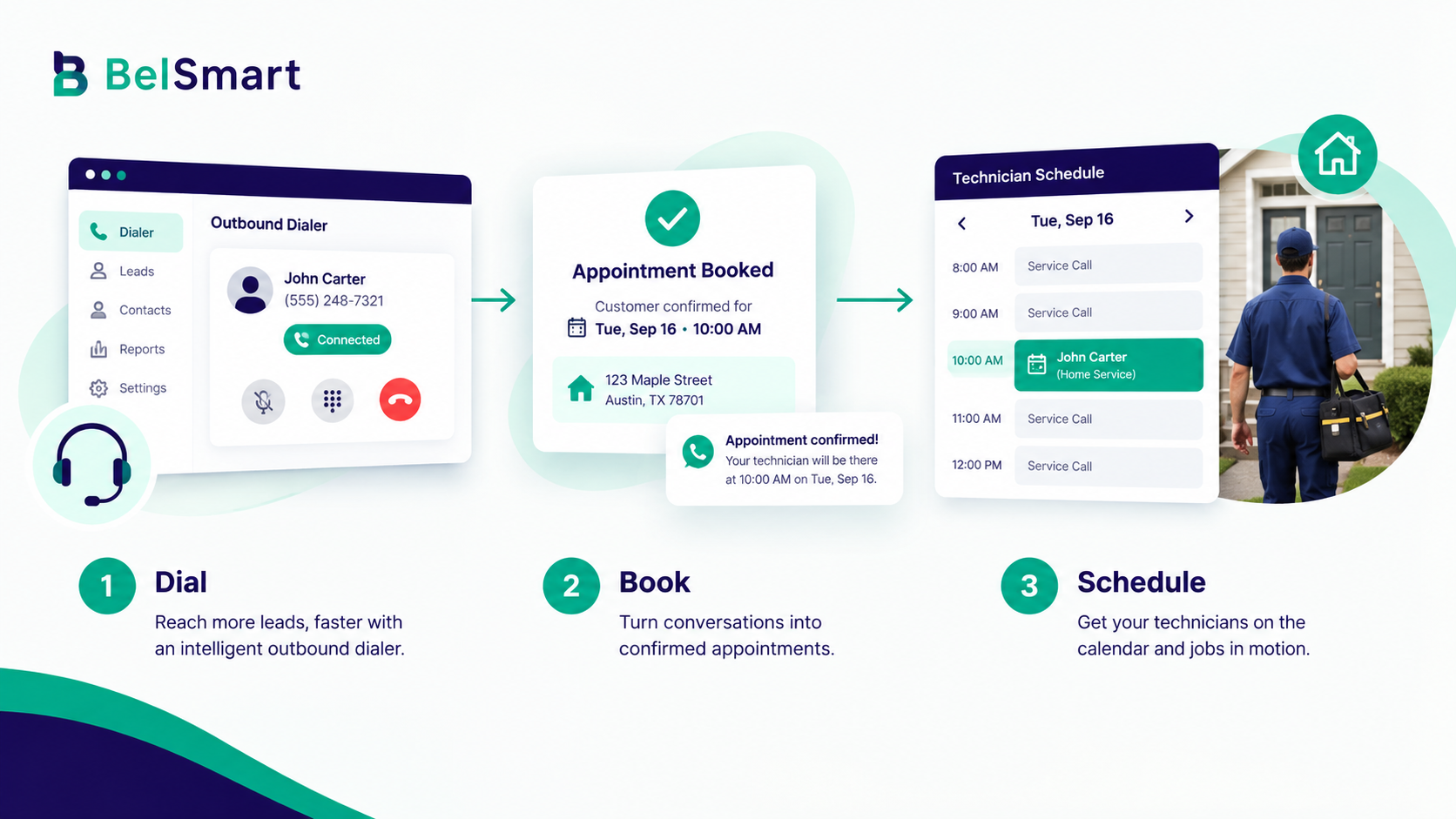
An outbound dialer for home services is software that places calls to homeowners on behalf of a trade business — for seasonal maintenance reminders, expired warranty follow-up, storm or lead-list outreach, or callbacks to web form leads — and connects a live rep the moment someone answers.
Unlike a general sales dialer built for cold B2B prospecting, a home services dialer has to account for residential-specific rules: stricter Do Not Call (DNC) list requirements, tighter calling-hour windows, and a higher rate of numbers getting flagged “Spam Likely” because residential calling patterns look different from typical business-to-business call volume. The software still automates dialing, but the compliance layer underneath it matters more here than in most other industries.
Takeaway: a home services dialer is judged less by dial speed alone and more by whether it keeps the compliance and caller ID layer intact while it dials.
Why Is Home Services Outreach Different From B2B Sales Calling?
Home services outreach is different from B2B sales calling because the buyer is a homeowner, not a business, which means stricter consumer protection rules apply, and because the underlying goal is filling a technician’s calendar for a specific day rather than building a multi-week sales pipeline.
Three factors drive this difference. Seasonality — an HVAC company might need to fill 300 tune-up appointments in the two weeks before the first heat wave of summer, then barely call at all in the off-season. A roofing company might need to call an entire storm-affected zip code within 48 hours of a hailstorm. Call volume in home services spikes hard and fast, which is exactly the scenario a parallel dialer is built for.
Technician utilization economics — every hour a technician isn’t on a job is an hour of payroll with no revenue attached. That makes the connection between call volume and appointments booked much more direct and measurable than in a typical B2B sales motion, where a single call rarely converts to revenue the same week.
Compliance exposure — because the numbers being called are residential, home services campaigns carry meaningfully higher DNC and TCPA complaint risk than B2B outreach. A single uncompliant campaign can result in complaints that get a company’s caller ID flagged, which then suppresses answer rates across every future campaign.
Takeaway: home services outreach is scheduling-driven and seasonally spiky, which is why it needs a different dialer setup than a typical B2B sales team running a steady weekly pipeline.
How Do HVAC and Trade Companies Use Outbound Calling to Fill Appointments?
HVAC and trade companies use outbound calling in four recurring ways: seasonal maintenance campaigns, expired warranty and service-plan reactivation, storm or weather-triggered lead outreach, and fast callbacks to inbound web leads.
- Seasonal maintenance push — calling last year’s AC tune-up or furnace inspection customers before the season starts, to rebook before a competitor does.
- Warranty and service-plan reactivation — calling customers whose maintenance plan or warranty is about to lapse, or already has, since these are warm leads with an existing relationship.
- Storm or weather-triggered outreach — calling homeowners in an affected area after a hailstorm, freeze, or heat wave, when demand for roofing, plumbing, or HVAC repair spikes suddenly.
- Inbound web lead callback — calling a homeowner who just submitted a quote request form, where response speed is the single biggest factor in whether that lead ever becomes an appointment.
As covered in Belsmart’s speed-to-lead research, calling a fresh lead within the first 60 seconds dramatically increases the odds of a conversation — and home services leads go cold faster than almost any other vertical, because the homeowner is often calling three competitors at once.
Takeaway: most home services outbound volume falls into just four buckets — seasonal push, reactivation, storm response, and lead callback — and each one behaves differently enough to need its own campaign settings.
Is Outbound Calling to Residential Customers Legal?
Yes, outbound calling to residential customers is legal, but it is more tightly regulated than B2B calling. Callers must scrub numbers against the National Do Not Call Registry and any internal DNC list, respect state and federal calling-hour windows, and honor opt-out requests immediately.
The Telephone Consumer Protection Act (TCPA), enforced by the FCC, and the FTC’s Do Not Call rules both apply directly to residential outbound calling. Because home services campaigns dial consumer numbers almost exclusively, the compliance bar is higher than for most B2B sales dialing, where a portion of numbers may be exempt as established business relationships. In practice, this means running every list through DNC list scrubbing before a campaign launches, not just at onboarding.
Takeaway: residential outbound calling is legal and common, but it carries a stricter compliance bar than B2B calling, and that bar has to be checked before every campaign, not once at setup.
What Dialer Mode Fits Seasonal HVAC and Home Services Campaigns?
The right dialer mode for a home services campaign depends on lead warmth and call volume: manual or preview dialing suits small, high-context lists like warranty reactivation, a power dialer suits warm inbound-lead callbacks, and a parallel dialer suits high-volume seasonal blitzes like storm response.
| Campaign Type | Lead Warmth | Call Volume | Best Dialer Mode | Compliance Risk |
|---|---|---|---|---|
| Warranty / service-plan reactivation | Warm (existing customer) | Low–Medium | Power Dialer | Low–Medium |
| Inbound web lead callback | Hot (just requested a quote) | Low–Medium, urgent | Power Dialer | Low |
| Seasonal tune-up push | Warm (past customer) | High, time-boxed | Parallel Dialer | Medium |
| Storm / weather-triggered outreach | Cold–Warm (new area, urgent need) | Very high, time-boxed | Parallel Dialer | High |
| Cold list purchase / lead broker list | Cold | Variable | Preview Dialer (manual review recommended) | High |
As a rough rule, one-third of a typical home services outbound program is warranty or reactivation follow-up, another third is inbound-lead callback, and the remaining third is seasonal or event-driven blitz calling. Each of those three buckets behaves differently enough that a single dialer mode rarely fits all of them well, which is why many home services operations run more than one dialer mode inside the same platform.
Takeaway: no single dialer mode covers every home services use case — matching mode to lead warmth and volume is what actually protects both connect rate and compliance.
Why Do Home Services Numbers Get Flagged as Spam Likely?
Home services numbers get flagged “Spam Likely” more often than typical B2B numbers because residential calling produces short, high-volume call bursts from the same caller ID — a pattern spam-detection algorithms are specifically built to catch.
A parallel dialer running a storm-response campaign might place hundreds of calls from a handful of numbers within a few hours. Without caller ID reputation management, those same numbers can get flagged within days, which then suppresses answer rates on every subsequent campaign, including warm reactivation calls that have nothing to do with the original spike. Caller ID spam remediation — rotating and monitoring number reputation — is the piece of infrastructure most home services companies underestimate until their answer rates quietly start dropping.
Takeaway: the dialer speed that wins a storm-response campaign today is the same pattern that can flag your numbers and quietly hurt every campaign that follows it.
How to Set Up a Compliant Outbound Campaign to Fill the Appointment Book
Use the following steps to launch a home services campaign that protects both connect rate and compliance from day one.
- Segment the list by warmth. Separate reactivation/warranty customers, inbound leads, and cold or storm-triggered lists into distinct campaigns, since each needs a different dialer mode and script.
- Scrub against DNC and TCPA rules before dialing. Run every list through DNC list scrubbing, not just once at intake, since numbers move on and off the registry.
- Set calling-hour windows by state, not just federal defaults. Some states restrict residential calling hours more tightly than the federal 8 a.m.–9 p.m. window.
- Match the dialer mode to the campaign type. Use the comparison table above as a starting point, and adjust based on real connect-rate data after the first few days.
- Protect caller ID reputation. Monitor number health and rotate numbers proactively during high-volume pushes, rather than reacting after answer rates drop.
- Sync every booked appointment to CRM and scheduling in real time. A CRM integration ensures a booked call becomes a technician-ready job, not a note someone has to manually re-enter.
- Confirm appointments by text. Sending an SMS confirmation and reminder after a dialer-booked appointment measurably reduces no-shows, which matters even more when a truck roll is involved.
See Where Your Home Services Campaigns Are Leaking Connects
Compare Belsmart’s dialer modes, DNC scrubbing, and caller ID protection against your current setup.
From Call to Appointment: Syncing Dialer Activity With CRM and Scheduling
A booked call is only useful if it turns into a technician-ready job. Home services companies that run outbound calling without a tight CRM and scheduling sync often end up with a gap between “the rep booked it” and “the technician actually shows up,” usually because the appointment sat in a spreadsheet or a rep’s notebook for a few hours before someone entered it into the scheduling system.
Connecting the dialer to CRM integration closes that gap by pushing appointment details — time, address, job type, homeowner notes — directly into the system a dispatcher is already using. Combined with automated SMS confirmations, this turns a phone call into a scheduled, confirmed job with minimal manual handling.
Takeaway: the value of a booked call disappears if it sits unsynced for even a few hours — real-time CRM and SMS sync is what actually protects the appointment.
Bringing It Together
Home services outbound calling succeeds or fails on three things: matching the right dialer mode to the right campaign type, staying ahead of residential compliance requirements, and protecting caller ID reputation so answer rates don’t quietly erode over time. Get those three right, and outbound calling becomes one of the most direct levers a home services business has for keeping technician schedules full.
Teams evaluating a dialer for home services should model connect rate and appointment-set rate against their own seasonal call patterns, not a vendor’s headline claim, before committing.
Frequently Asked Questions
What is an outbound dialer for home services companies?
An outbound dialer for home services is call center software that automates calling to homeowners for appointment setting — covering seasonal maintenance, warranty reactivation, storm response, and inbound lead callbacks — while connecting a live rep the instant someone answers.
Is it legal for HVAC or roofing companies to cold call homeowners?
Yes, but it’s regulated. Companies must scrub numbers against the National Do Not Call Registry, respect state and federal calling-hour windows, and honor opt-out requests immediately. The TCPA and FTC Do Not Call rules apply directly to residential calling.
What’s the best dialer mode for a seasonal HVAC tune-up campaign?
A parallel dialer typically fits best, since seasonal campaigns involve high call volume within a short window. Power dialers suit warm, lower-volume campaigns like inbound lead callbacks, while manual or preview dialing suits smaller, high-context lists like warranty reactivation.
Why do home services phone numbers get flagged as Spam Likely so often?
High-volume, short-burst calling from the same numbers — typical of storm-response or seasonal campaigns — matches the pattern spam-detection algorithms are built to catch. Caller ID reputation management and number rotation reduce this risk.
How does an outbound dialer reduce technician downtime?
By keeping the appointment book consistently full, an outbound dialer reduces the gaps in a technician’s schedule that occur when appointment-setting relies only on inbound calls or manual outreach, which is especially valuable during predictable seasonal demand swings.
Does an outbound dialer replace an answering service for home services companies?
Not entirely. An outbound dialer handles proactive, business-initiated calling — reactivation, seasonal pushes, callbacks — while an answering service typically handles inbound calls after hours. Many home services operations use both, with the two systems syncing through a shared CRM.
Keep Every Technician on the Schedule
Book a personalised demo of Belsmart’s Power and Parallel dialing modes — with DNC scrubbing, caller ID protection, and CRM sync built in — and get a custom plan recommendation in under 30 minutes.
Questions about pricing? sales@belsmart.io · We reply within one business day.