Dialer CRM Integration Checklist: What to Confirm First
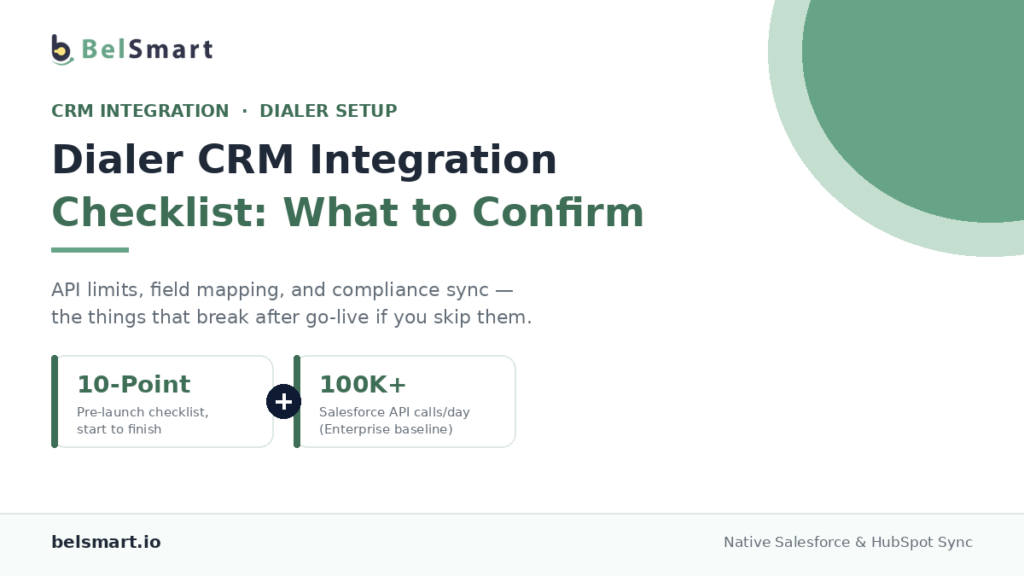
A dialer CRM integration checklist is a pre-launch list of technical and operational items — API limits, field mapping, authentication, and compliance data sync — that a team confirms before connecting an outbound dialer to Salesforce or HubSpot. Skipping this step doesn’t stop the integration from turning on. It just moves the problems from before go-live to after it, when they’re harder to fix.
That distinction matters because “connect the dialer to the CRM” sounds like a single step, but it’s really a stack of decisions: which CRM object calls log against, how often data syncs, what happens when API limits get hit mid-campaign, and whether compliance data like DNC status flows both directions or just one. Get these wrong, and the integration technically works on day one while quietly breaking reporting, compliance records, or rep workflow by week two.
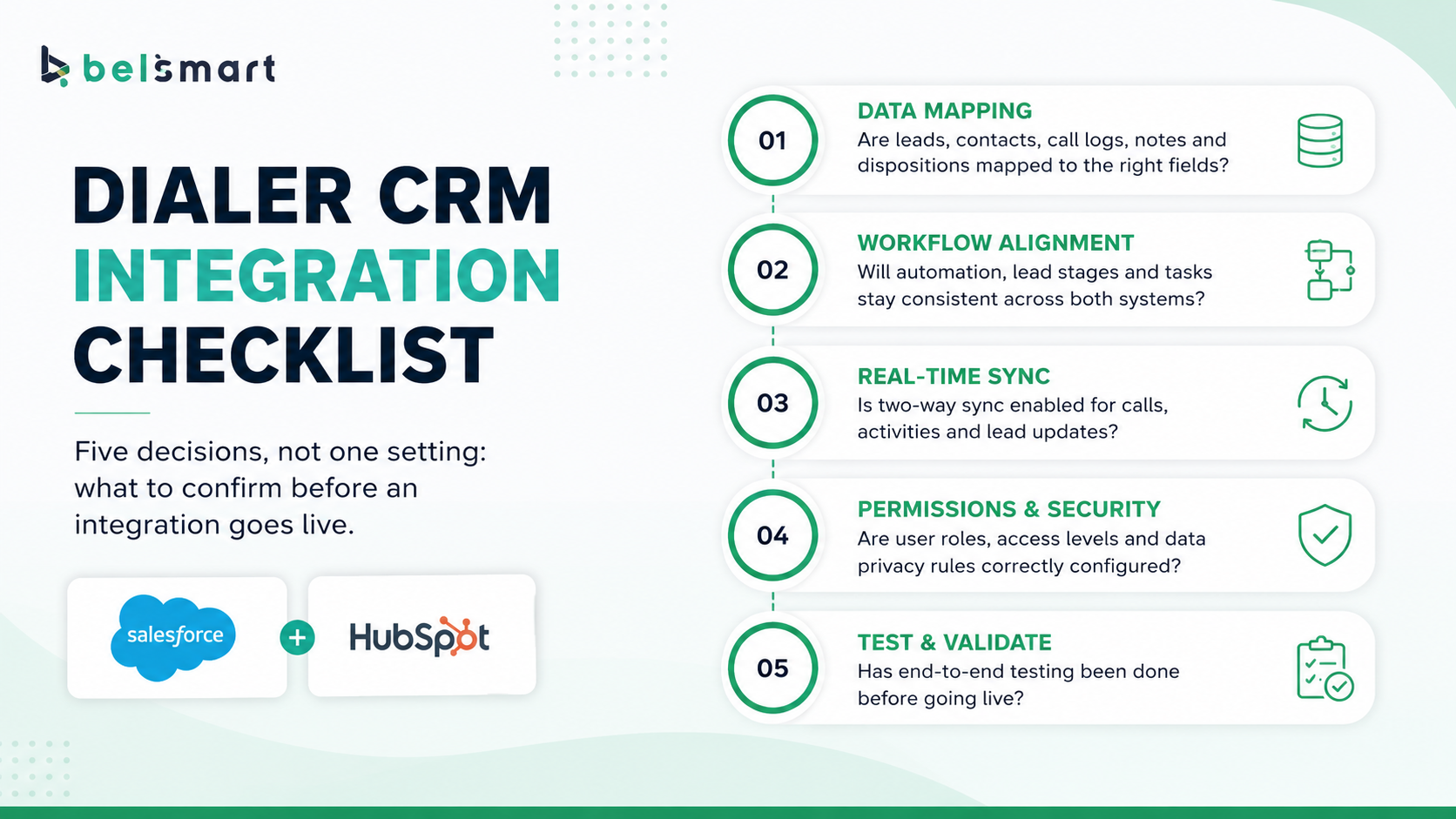
What Should You Check Before Connecting a Dialer to Salesforce or HubSpot?
Before connecting a dialer to either CRM, confirm five things: your API rate limit headroom, the object model calls will log against, your authentication method, how compliance data will sync, and whether your team has enough licensed CRM seats for every dialer user. Each of these is a configuration decision, not a default setting — assuming the defaults will work is the most common cause of post-launch integration failures.
The rest of this checklist breaks down each item, starting with the one that causes the most silent failures: API rate limits.
What Are Salesforce’s API Limits for a Dialer Integration?
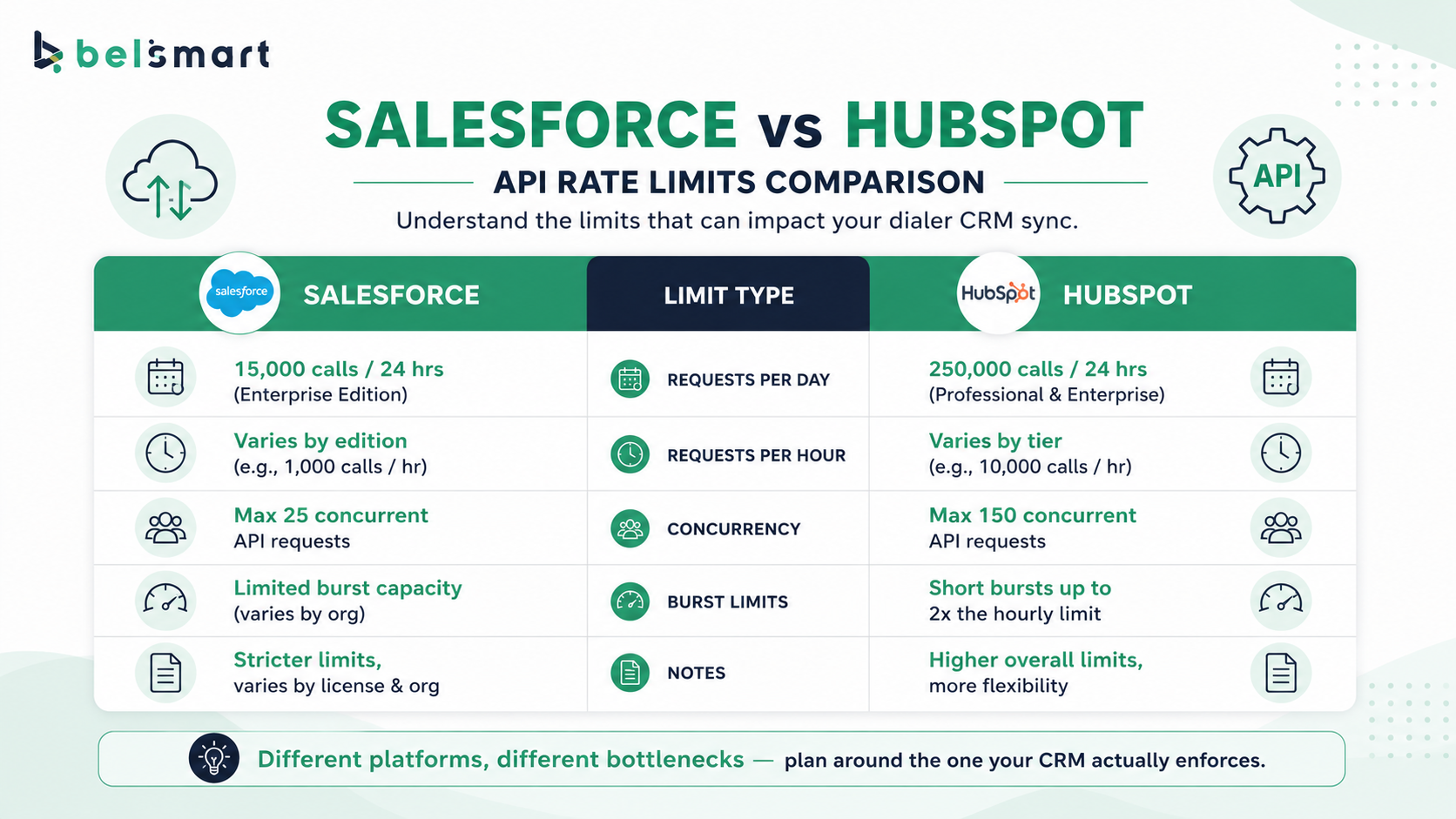
Salesforce’s daily API limit is the greater of a base allotment or a per-user-license calculation — for Enterprise Edition, that’s generally 100,000 requests per 24 hours or 1,000 requests per licensed user, whichever is higher. An org with 50 licensed users, for example, gets 150,000 daily API requests rather than the base 100,000.
This limit operates on a rolling 24-hour window, not a calendar day, and it’s a soft limit at first — Salesforce allows some overage before a hard system-protection limit blocks further calls and returns a REQUEST_LIMIT_EXCEEDED error. Salesforce also caps concurrent long-running requests (anything over 20 seconds) at 25 in production. A high-volume dialer syncing call activity, disposition updates, and lead status changes in near real time can approach these ceilings faster than teams expect, especially during a large outbound push. Because limits vary by edition and license count, confirm your org’s actual current allotment in Setup rather than assuming the Enterprise Edition baseline applies.
What Are HubSpot’s API Limits for a Dialer Integration?
HubSpot’s API limits scale by subscription tier: Free and Starter accounts are capped at a lower burst rate and a smaller daily ceiling, while Professional and Enterprise accounts get a higher burst limit and daily allotments that can reach into the hundreds of thousands or more per day. On top of the general API limit, HubSpot enforces a separate, stricter cap on its CRM Search API — a detail that catches many integrations off guard, since dedupe checks and lookup-heavy sync processes often route through Search endpoints without the integration team realizing it.
That separate Search API ceiling is the single most common HubSpot integration bottleneck. A dialer sync that reads individual contact records in a loop, rather than using batch read endpoints, burns through this stricter limit far faster than the general API allotment would suggest — even when the overall daily usage looks well within bounds.
Takeaway: both Salesforce and HubSpot publish specific, edition-dependent API limits — the failure mode isn’t a lack of documentation, it’s assuming a default number applies to your specific org without checking it.
Salesforce vs. HubSpot: Integration Comparison
| Factor | Salesforce | HubSpot |
|---|---|---|
| Daily API limit | Greater of base (e.g., 100,000 for Enterprise) or 1,000 per licensed user | Scales by tier; Free/Starter lowest, Professional/Enterprise highest |
| Burst/concurrency limit | 25 concurrent long-running requests (20+ seconds) in production | Per-10-second burst limit that scales by tier |
| Object model | Lead and Contact are separate objects; conversion process required | Contact, Company, and Deal in one unified model |
| Authentication | OAuth 2.0 or Connected App with session tokens | OAuth 2.0 or private app tokens |
| Most common bottleneck | Concurrent long-running request cap during bulk sync | Stricter, separate CRM Search API limit |
Does Call Disposition Data Sync Automatically?
No — call disposition data only syncs automatically if the integration is explicitly configured to map disposition codes to a CRM field, and most default integrations don’t do this out of the box. A disposition code is the outcome a rep or system assigns to a call (connected, voicemail, no answer, callback requested), and unless that code is mapped to a specific field on the right object, it either doesn’t sync at all or lands somewhere no one is looking at it.
This is where dialer pacing and disposition tracking intersect with CRM setup directly. Teams managing abandoned-call risk through dialer ratios need disposition data flowing into the CRM reliably to audit pacing decisions after the fact — see Dialer Ratios Explained for how that pacing data connects to compliance risk. Confirm disposition mapping explicitly before go-live rather than assuming it’s part of a default sync.
Should DNC Status Sync Both Ways Between the Dialer and CRM?
Yes — DNC and suppression status should sync in both directions, not just from the CRM to the dialer. A one-way sync (CRM to dialer only) means a number suppressed at the dialer level for cause never gets reflected back in the CRM, so a rep or a future campaign can re-add that same number to a new list without realizing it was suppressed for a reason.
The scrubbing mechanics themselves — which lists to check and how often — are covered in DNC List Scrubbing 101; the integration-specific issue is making sure suppression events actually write back into the CRM record, not just the dialer’s internal suppression list. Bidirectional sync here isn’t a nice-to-have — it’s what prevents a number from being called again a few weeks after being correctly suppressed.
The Dialer CRM Integration Checklist
Use this sequence before flipping the integration live in production:
- Confirm your current API limits directly in your CRM admin panel — Salesforce Setup or HubSpot’s account settings — rather than assuming a published baseline applies to your specific edition and license count.
- Map disposition codes to specific CRM fields explicitly, and confirm with a test call that the mapping actually writes to the field you expect.
- Decide your object model before syncing any data — Salesforce Lead vs. Contact, HubSpot Contact vs. Company association — since retrofitting this after records exist is far more disruptive than deciding upfront.
- Set up bidirectional DNC and suppression sync, confirmed with a test suppression event that you can trace from dialer to CRM and back.
- Choose OAuth-based authentication over static API keys where available, since OAuth tokens can be scoped and revoked without resetting a shared credential every integration depends on.
- Test the full integration in a sandbox environment first — a Salesforce sandbox or a HubSpot test portal — before connecting to production data.
- Confirm every dialer user has a CRM seat with API access enabled, since a mismatch here causes silent authentication failures for a subset of agents, not a full outage.
- Batch API calls wherever the CRM supports it, especially for HubSpot’s Search API and Salesforce’s Bulk API, since single-record loops burn through rate limits far faster than batch endpoints.
- Run a phased pilot with one campaign or team before enabling the integration account-wide, so any misconfiguration affects a small group, not the entire outbound operation.
- Document a rollback plan — what happens to in-flight call data if the integration needs to be paused — before you need it, not after.
Confirming All of This Manually Gets Tedious Fast.
See how Belsmart’s native CRM integration handles object mapping, disposition sync, and bidirectional DNC status out of the box for Salesforce, HubSpot, Zoho, Pipedrive, Freshsales, LeadSquared, and Bitrix24.
A Simple Way to Estimate Your API Headroom Before Go-Live
Before launch, estimate daily API calls as: (calls per day) × (sync events per call) × (safety margin of 1.5). A team placing 5,000 calls a day with three sync events per call (call start, disposition, note update) generates roughly 15,000 raw API events — multiplying by a 1.5 safety margin for retries and edge cases puts realistic usage near 22,500 calls a day, well within a standard Salesforce Enterprise allotment but potentially tight against a HubSpot Free or Starter daily cap.
This estimate isn’t a guarantee — actual usage depends on batching efficiency and which endpoints the integration uses — but it catches the most common failure mode: teams that never estimate their expected volume against their CRM’s actual limit until they hit it mid-campaign.
Takeaway: a rough call-volume-to-API-call estimate, done before go-live, catches rate-limit problems in planning instead of in a live campaign.
Why This Matters More for Multi-Client BPO Operations
Teams running multiple client accounts through a single CRM instance face a compounded version of every item on this checklist, since disposition mapping, DNC sync, and API budget all need to be tracked per client, not account-wide. A shared API limit gets consumed faster across several simultaneous client campaigns, and a suppression sync error affecting one client’s data can be harder to isolate in a shared CRM instance. See BPO Call Center Compliance for the broader liability context this operational complexity sits inside.
How This Connects to AI-Handled Calls
Leads qualified by an AI voice agent still need to hand off cleanly into the CRM before a live rep picks up the conversation — which means the same object mapping and disposition sync rules from this checklist apply to AI-originated call data, not just rep-dialed calls. An integration that handles human-dialed disposition sync correctly but wasn’t tested against AI-originated call events can create a gap exactly where speed-to-lead matters most.
Takeaway: a dialer CRM integration checklist isn’t a one-time technical task — it’s the operational foundation that every other outbound process, from compliance to AI handoff, depends on working correctly.
Frequently Asked Questions
What is a dialer CRM integration checklist?
A dialer CRM integration checklist is a pre-launch list of technical and operational items — API rate limits, object and field mapping, authentication method, and compliance data sync — that a team confirms before connecting an outbound dialer to a CRM like Salesforce or HubSpot.
What are Salesforce’s API limits for a dialer integration?
Salesforce’s daily API limit is generally the greater of a base allotment (100,000 requests per 24 hours for Enterprise Edition) or 1,000 requests per licensed user, plus a separate cap of 25 concurrent long-running requests in production. Exact limits vary by edition and should be confirmed in Salesforce Setup.
What are HubSpot’s API limits for a dialer integration?
HubSpot’s limits scale by subscription tier, with Professional and Enterprise accounts getting higher burst and daily allotments than Free or Starter. HubSpot’s CRM Search API is capped separately and more strictly than general API calls, making it a common integration bottleneck.
Does call disposition data sync to the CRM automatically?
No. Disposition data only syncs if the integration explicitly maps disposition codes to a specific CRM field. Without that mapping configured and tested, disposition outcomes either don’t sync or land in a field no one reviews.
Should DNC status sync both ways between the dialer and CRM?
Yes. A one-way sync from CRM to dialer means suppression events at the dialer level never get written back to the CRM, so a number suppressed for cause can be re-added to a future campaign list without anyone realizing it was already suppressed.
What’s the biggest integration risk for multi-client BPO operations?
API limits, disposition mapping, and DNC sync all need to be tracked per client rather than account-wide when multiple client campaigns run through one shared CRM instance, since a shared API budget gets consumed faster and errors are harder to isolate to a single client’s data.
Get Your CRM Integration Right the First Time
See Belsmart.io’s native CRM integration live — object mapping, disposition sync, and bidirectional DNC status handled out of the box. Book a personalised demo and get a custom plan recommendation in under 30 minutes.
Questions about pricing? sales@belsmart.io · We reply within one business day.