How Can Auto Dialer Software Transform Your Customer Engagement?
Auto dialer software transforms customer engagement by eliminating manual dialing, connecting agents only to live prospects, syncing every call to your CRM automatically, and giving agents full contact context before they speak — which together increase talk time, personalize conversations, and improve answer and conversion rates.
Customer engagement lives or dies in the seconds before an agent says “hello.” If a rep is fumbling for the right number, has no idea who they’re calling, or is stuck listening to a ringing line with no way to log the outcome, the conversation starts at a disadvantage before it even begins. Auto dialer software removes that friction — and in doing so, changes the entire economics of outbound customer engagement.
This guide breaks down exactly how, with practical detail rather than marketing generalities.
What Is Auto Dialer Software?
Auto dialer software is a cloud-based calling system that automatically dials phone numbers from a contact list, filters out unanswered calls, busy signals, and voicemails, and connects only live conversations to an available agent — while logging every outcome back to your CRM.
Instead of an agent manually keying in numbers, waiting through rings, and hanging up on voicemails, the dialer handles that repetitive work. The agent’s time is reserved almost entirely for actual conversations.
How Does an Auto Dialer Actually Improve Customer Engagement?
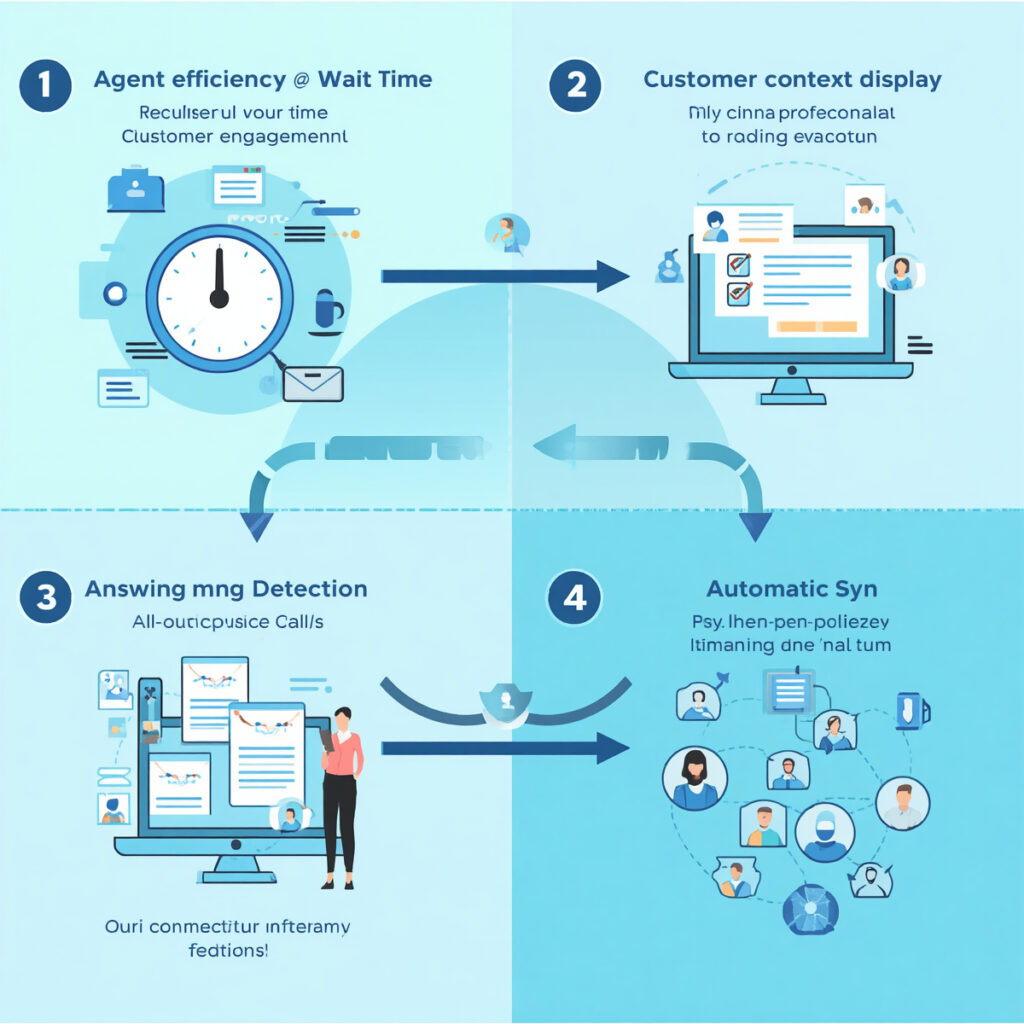
Four mechanisms drive the improvement, and they compound on each other:
1. Agents Spend More Time Talking, Less Time Waiting
Manual dialing wastes minutes per call on dialing, ringing, and disconnected numbers. An auto dialer removes that dead time almost entirely, which means an agent’s shift converts into far more live conversations. More conversations simply means more opportunities to engage, resolve, or convert a customer.
2. Every Agent Has Context Before the Call Connects
Modern dialers pull the customer’s record — prior interactions, purchase history, open tickets, notes from the last call — into the agent’s screen automatically. A conversation that opens with “I see you spoke with our team last Tuesday about your renewal” lands very differently than a cold, context-free call. This is the single biggest driver of perceived engagement quality, because customers can tell within the first ten seconds whether the person on the line actually knows who they are.
3. Answering Machine Detection Reclaims Wasted Attempts
AI-based answering machine detection (AMD) identifies voicemails in under a second and either skips to the next number or drops a pre-recorded message — instead of an agent sitting through 20 seconds of a greeting before realizing no one is there. Across hundreds of daily dials, this reclaims a meaningful share of agent capacity that would otherwise be lost to dead air.
4. Every Outcome Syncs Automatically — Nothing Falls Through the Cracks
When a call ends, the disposition, notes, and recording sync to the CRM without the agent lifting a finger. That means the next person to touch that customer record — whether it’s the same agent tomorrow or a different department next week — has the full picture. Engagement stays consistent across every touchpoint instead of resetting to zero with each new conversation.
Which Dialing Mode Should You Use? A Quick Comparison
Not every campaign should run the same dialer setting. Matching the mode to the use case protects both compliance and customer experience.
| Dialing Mode | How It Works | Best For |
|---|---|---|
| Parallel Dialer | Dials multiple lines per agent simultaneously, connecting on the first live answer | High-volume outreach where speed and coverage matter most |
| Power Dialer | Automatically advances to the next contact the instant an agent finishes a call | Warm follow-ups and renewal campaigns needing steady momentum |
| Preview Dialer | Surfaces the full contact record before the agent initiates the call | Complex, consultative, or high-value conversations |
| Manual Dialer | Agent triggers every call individually with one click | Regulated campaigns or situations requiring full human control on every dial |
Does Auto Dialer Software Help with Compliance?
Yes — modern auto dialer platforms build compliance controls directly into the dialing layer, including automated Do-Not-Call (DNC) list scrubbing, call pacing to limit abandonment rates, consent logging, and time-zone-aware calling windows, so compliance doesn’t depend on an agent remembering the rules mid-call.
This matters for customer engagement too: a customer who receives a call at an inappropriate hour or after opting out starts the relationship on the wrong foot. Good compliance tooling is quietly also good customer experience tooling.
Does It Integrate with the Tools I Already Use?
Yes — most cloud dialer platforms, including BelSmart, offer native integration with CRMs such as HubSpot, Salesforce, and Zoho, plus REST APIs for custom systems, so call logs, dispositions, and contact notes sync automatically without manual data entry.
This is what closes the loop between the call and everything else your team does — marketing follow-ups, support tickets, and sales pipeline stages all stay updated from a single source of truth.
What Happens When a Call Goes Unanswered?
Most outbound calls don’t connect on the first attempt — that’s simply the nature of phone outreach today. What separates strong customer engagement programs from weak ones is what happens next. Rather than letting an unreached prospect drop out of the pipeline, well-run outbound teams extend the attempt automatically: a missed call can trigger an SMS reminder, a WhatsApp message, or an email follow-up, and unreached leads get intelligently re-queued for the next best time to call rather than lost entirely. This omnichannel approach to follow-up is a natural extension of the dialer — the call opens the interaction, and the surrounding channels keep it alive.
Common Mistakes That Undermine Auto Dialer Results
- Running every campaign in the same dialing mode. A cold sales list and a sensitive support follow-up don’t have the same risk profile — they shouldn’t share the same pacing settings.
- Ignoring number reputation. Aggressive dialing from a small pool of numbers can get flagged as spam by carriers, silently tanking answer rates over time.
- Skipping CRM integration setup. A dialer that isn’t synced to the CRM just creates a second system agents have to manually reconcile — defeating much of the productivity gain.
- Treating compliance as an afterthought. DNC scrubbing and consent logging should be active from day one, not bolted on after a complaint.
- Not reviewing call recordings for QA. The dialer generates a rich pool of real customer conversations — teams that never listen back miss an easy source of coaching and script improvement.
Frequently Asked Questions
What is the main benefit of auto dialer software for customer engagement?
The main benefit is that agents spend nearly all their time in live conversations instead of manual dialing, and each conversation opens with full customer context — which together make interactions faster to start and more personalized once they begin.
Can auto dialer software work for both sales and support teams?
Yes. Sales teams typically use parallel or power dialing for outreach volume, while support and helpdesk teams often prefer preview or manual dialing modes, which prioritize agent preparation and control over raw call speed.
Is auto dialer software difficult to set up?
No. An auto dialer complements a CRM rather than replacing it — the dialer manages the calling workflow and connects agents to prospects, while the CRM stores the underlying customer relationship data. The two systems are most effective when integrated together.
How does answering machine detection improve efficiency?
Answering machine detection (AMD) identifies voicemails in under a second, allowing the system to either skip immediately to the next contact or drop a pre-recorded message — reclaiming the agent time that would otherwise be spent waiting through a voicemail greeting.
Summary
Auto dialer software changes customer engagement by removing the friction — manual dialing, missing context, wasted attempts on voicemails, and disconnected systems — that sits between an agent and a productive conversation. The result isn’t just more calls; it’s more informed, better-timed, and better-logged conversations, which is what customer engagement actually depends on.